
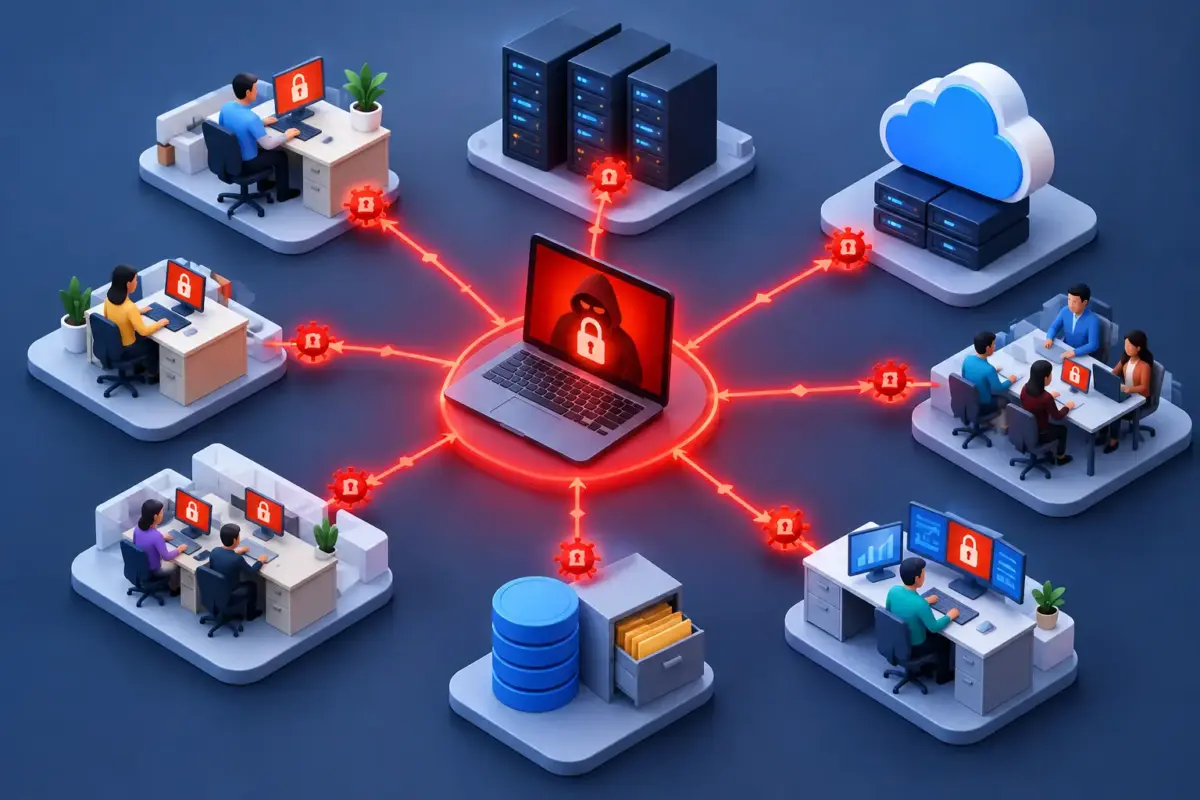
A single encrypted laptop is disruptive. A whole business unable to access client files, dispatch systems, accounts data or Microsoft 365 is a continuity incident. So, can ransomware spread? Yes. Depending on the strain and the access an attacker gains, ransomware can move from one device or account to shared systems across your organisation.
The good news is that spread is not inevitable. The right mix of technical controls, sensible access rules, staff awareness and tested backups can turn a potentially business-wide outage into a contained incident. For a small or medium-sized business, that is the difference between a difficult day and a damaging interruption to operations, revenue and reputation.
Can ransomware spread from one computer to another?
Some ransomware is designed to spread automatically. It may look for vulnerable devices, open network shares or weakly protected remote access services, then copy itself to other machines. This is often described as worm-like behaviour. Once inside, it can move quickly, particularly in organisations where devices are all connected to the same network with broad permissions.
Other attacks spread because the criminal has access, not because the ransomware itself is self-propagating. An attacker may steal an employee’s password through a phishing email, log into a Microsoft 365 account, access a file server or use remote management tools, and deploy ransomware across several endpoints. In these cases, the initial infection is only the start of the attack.
That distinction matters. A business can have antivirus on every PC and still be exposed if a compromised administrator account can reach every server, shared folder and backup location. Ransomware prevention is therefore about limiting both malicious software and the paths an attacker can use once they get in.
How ransomware moves through a business
Ransomware does not need a dramatic Hollywood-style breach to cause widespread damage. It often begins with a familiar business activity: an invoice attachment, a fake Microsoft 365 sign-in page, an unpatched laptop, or a remote desktop service exposed to the internet.
Shared drives and file servers
An infected device can encrypt files on network drives that the signed-in user can access. If a member of staff has permission to amend a department-wide folder, ransomware may encrypt the files there too. Shared drives are particularly vulnerable where permissions have grown over time and many users have more access than their roles require.
File servers may also be targeted directly. If an attacker obtains a privileged account, they can disable security tools and launch encryption across large volumes of data. The speed of this activity can leave little time to react without monitoring and an agreed incident response process.
Stolen credentials and administrator access
Criminals value credentials because a legitimate login is less likely to raise immediate suspicion. They may reuse a password leaked in an unrelated breach, trick a user into approving a multi-factor authentication request, or take over an email account through phishing.
Once inside, they look for accounts with higher permissions. An administrator account that is used for day-to-day email and browsing creates an unnecessary opportunity. If it is compromised, ransomware can be pushed to many devices at once using tools that IT teams themselves rely on for management.
Email, cloud storage and Microsoft 365
Email is usually a delivery route rather than a way for ransomware to infect every mailbox automatically. A convincing message can be sent from a compromised internal account, making colleagues more likely to trust it. Each person who opens the attachment or follows the link creates another possible foothold.
Cloud services change the picture rather than removing the risk. A ransomware infection on a synchronised computer can encrypt local copies of files, after which the encrypted versions may synchronise to SharePoint, OneDrive or Teams. Account compromise can also allow attackers to delete files, create forwarding rules, steal information and disrupt access without encrypting a single device.
Remote workers, suppliers and unmanaged devices
Remote working is not inherently unsafe, but unmanaged home devices and informal file-sharing habits can weaken controls. A personal computer used to access company data may not have the same updates, endpoint protection or monitoring as a managed laptop.
Suppliers can create another route where they have remote access, shared credentials or access to sensitive systems. The practical question is not whether every third party is a risk. It is whether each connection has a clear purpose, appropriate permissions and a secure method of access.
What makes ransomware spread faster?
Flat networks, shared local administrator passwords and overly broad file permissions make it easier for an attacker to move around. So do delayed software updates, unsupported systems and remote access services without multi-factor authentication. These weaknesses are common because businesses need staff to work efficiently, not because anyone has deliberately ignored security.
There are trade-offs. Restricting access too aggressively can slow down a busy team, especially in professional services, logistics or other operationally demanding environments. The aim is not to lock every system down until work becomes difficult. It is to give people the access they need, while preventing a compromised account from reaching everything else.
Attackers also try to slow your response. They may disable security software, delete backup copies they can reach, or remain unnoticed for days while they identify valuable data. Many modern ransomware groups steal information before encrypting it, then threaten to publish it. Restoring files alone may not resolve the legal, commercial and client-confidence consequences.
Controls that help contain an attack
No single product stops every ransomware attack. Effective protection layers controls so that a mistake by one person or failure of one system does not become a business-wide event.
Start with endpoint protection that can detect suspicious behaviour, isolate an affected device and alert the right people quickly. The ability to isolate a laptop from the network without waiting for someone to find it can prevent further spread. Keep operating systems, browsers, applications and network equipment patched, with particular attention to systems exposed to the internet.
Use multi-factor authentication for email, cloud applications, remote access and administrator accounts. Pair it with credential management and a clear process for removing access when staff or suppliers leave. Administrative accounts should be separate from everyday user accounts, and privileged access should be granted only where it is genuinely required.
Review file permissions and segment your network so that a compromise in one area does not automatically reach every server or device. For many SMEs, this is best approached in stages: identify the most critical systems first, reduce unnecessary access, then improve separation as systems are renewed or projects are planned.
Email filtering and browsing protection can reduce the number of malicious links and attachments that reach staff. They are valuable safeguards, but not a reason to assume every dangerous message will be caught. Regular ransomware and phishing awareness training helps people spot unusual requests, report them early and avoid turning a suspicious email into an incident.
Finally, maintain backups that are separate from your main environment and test them. A backup that has never been restored is an assumption, not a recovery plan. Test whether you can restore the data that matters most, how long recovery will take and who has authority to make decisions if systems are unavailable.
What to do if you suspect ransomware is spreading
Speed matters, but so does avoiding a rushed response that destroys useful evidence. Disconnect the affected device from Wi-Fi and wired networks if you can do so safely. Do not reconnect it simply to check whether the problem has cleared. Tell your IT provider or internal IT lead immediately, and ask staff not to open unexpected emails or attachments while the situation is assessed.
Do not delete files, wipe devices or pay a ransom before qualified advice is available. These actions can complicate investigation and recovery. Your response should establish what has been affected, whether accounts are compromised, whether data has been taken and whether backups remain safe. If personal or confidential information may be involved, you may also need to consider contractual, regulatory and insurance obligations.
A documented incident plan makes these decisions less stressful. It should include current contact details, the location of recovery information, a method for communicating if email is unavailable, and clear responsibilities for technical, operational and client-facing decisions.
Ransomware spreads where access is too broad, warning signs are missed and recovery is untested. Reducing those gaps is one less thing to worry about when your team has clients to serve and a business to run.